 MeridianHub
Command Center
What needs you now, with the reason on every row.
New inquiries, follow-ups due, showings today, open commitments — one queue that goes quiet as it is handled.
Real estate CRM for agents
Your leads, follow-ups, showings and deals in one private workspace. MeridianHub puts what needs you next in front of you, brings the context with it, and keeps every promise on the record.
14-day free trial · Card required · $0 today · $49/mo after trial or $490/yr
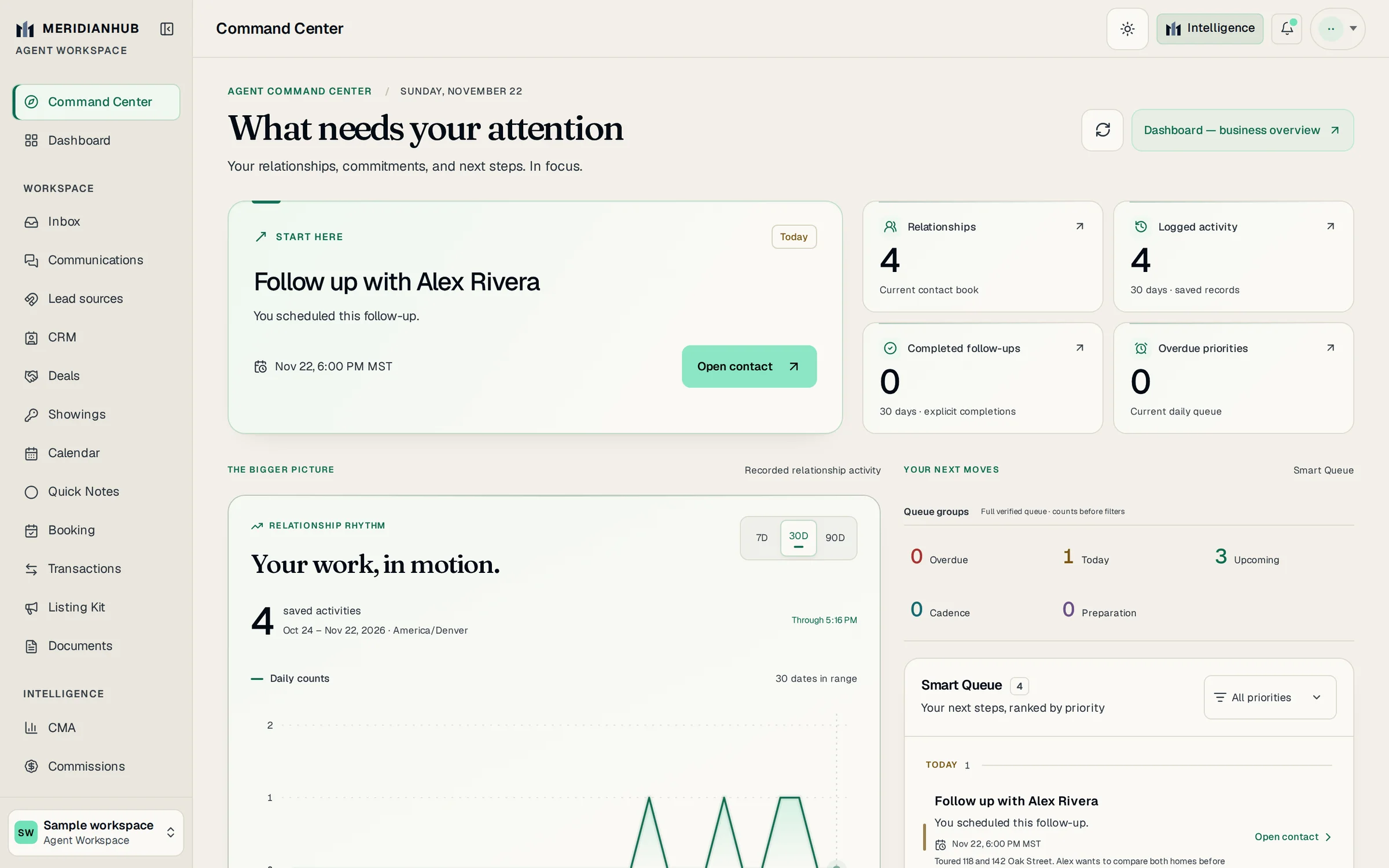
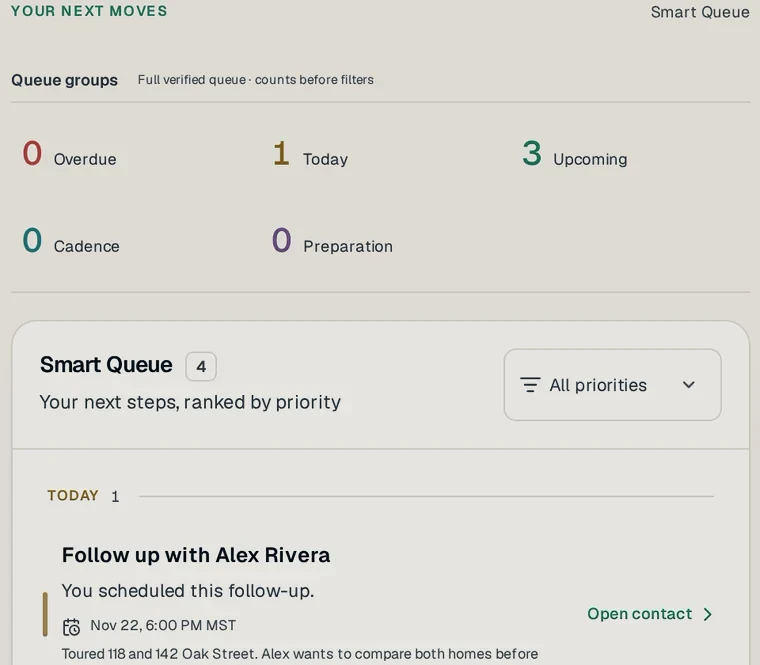
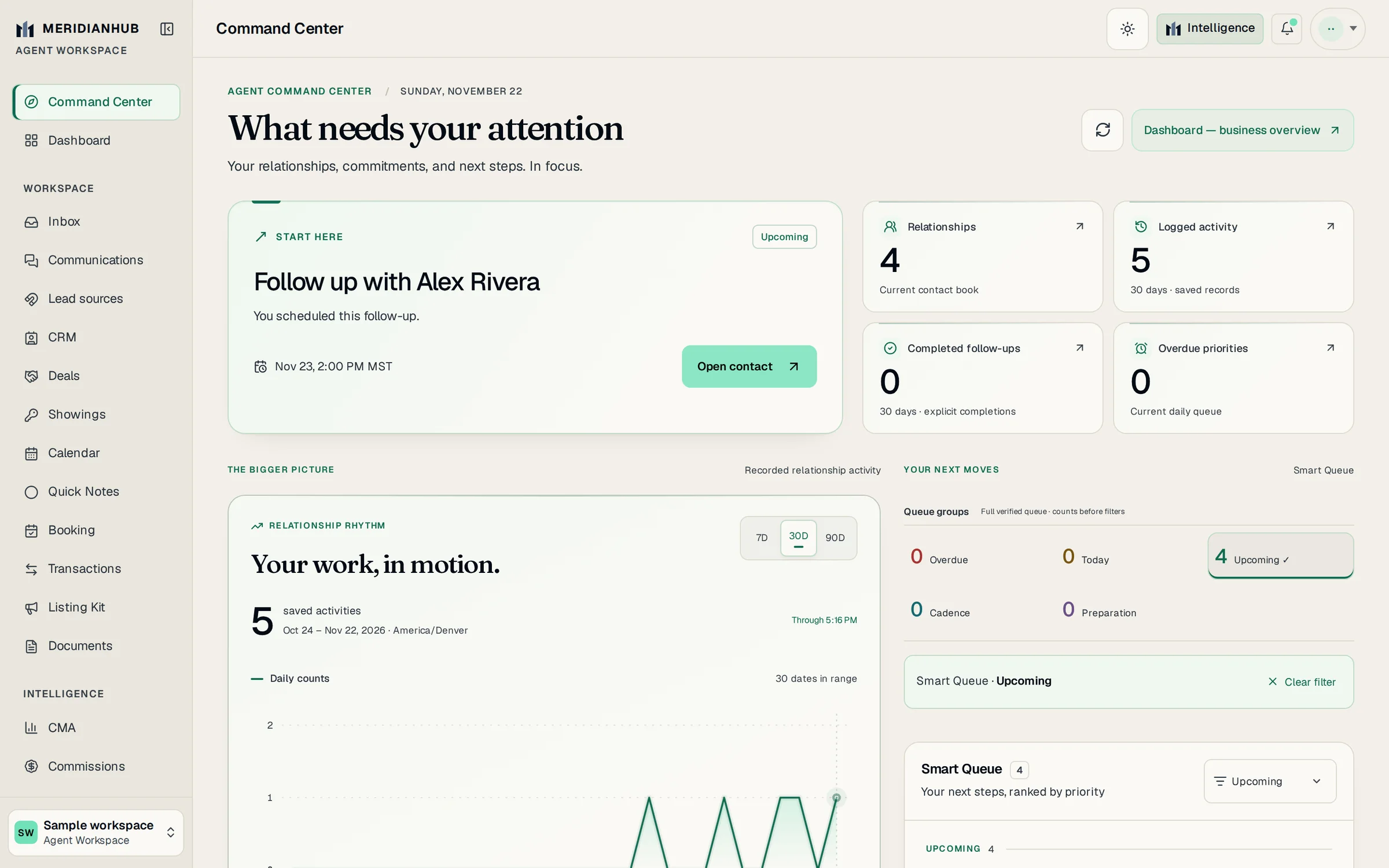
Smart QueueCommand Center opens on what needs you. Alex Rivera is due today, with the reason you saved.
Real MeridianHub screens. Names and records are fictional.
Real estate CRM and agent workflows
Command Center
New inquiries, follow-ups due, showings today, open commitments — one queue that goes quiet as it is handled.
Lead inbox
Capture page and QR intake today. Triage by recency, stage, and the next commitment you set.
CRM & Sphere
Recorded interactions only. No score, no automated outreach.
Deals · Showings · Transactions
Milestones, documents and the next move stay attached to the deal.
Commissions
See closed and pipeline totals from recorded deal prices and rates. New deals use a default 3% rate; the current form has no rate editor.
Listing Kit & CMA
Comparative analysis and listing material in the same workspace as the deal.
Not in this release, and we would rather say so: texting, a dialer, MLS listing feeds, or automated outreach. Calendar and email connections appear in Settings only where your account can use them.
The Agent demo
Alex's follow-up, from Command Center to a saved Monday commitment, in the real software.
How it works
Five moments from one real follow-up in MeridianHub. Start with one relationship while keeping your current CRM in place.
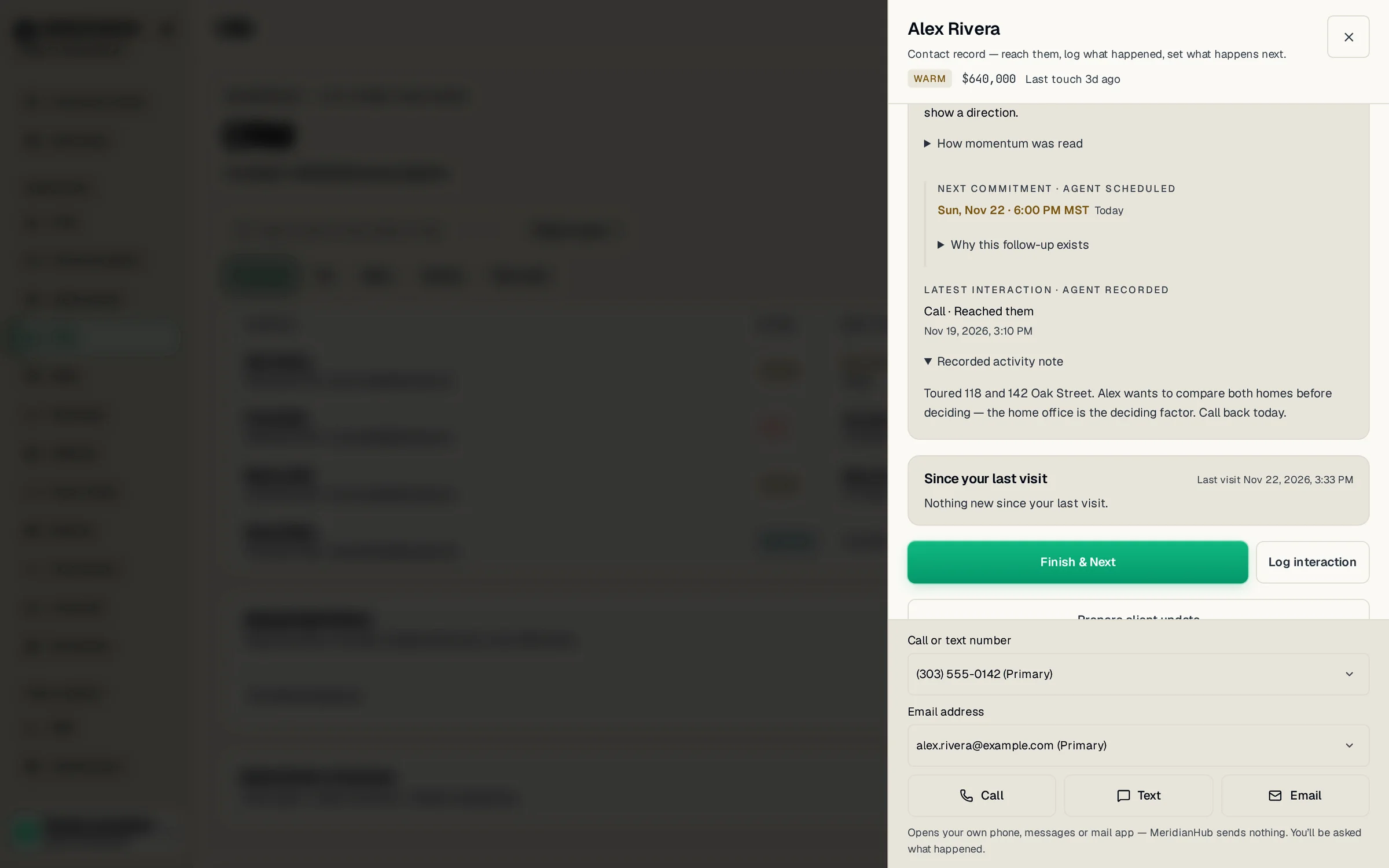
Command Center opens on the follow-ups, inquiries, showings and commitments that need you, each with the reason you saved. Alex Rivera is first: due today.
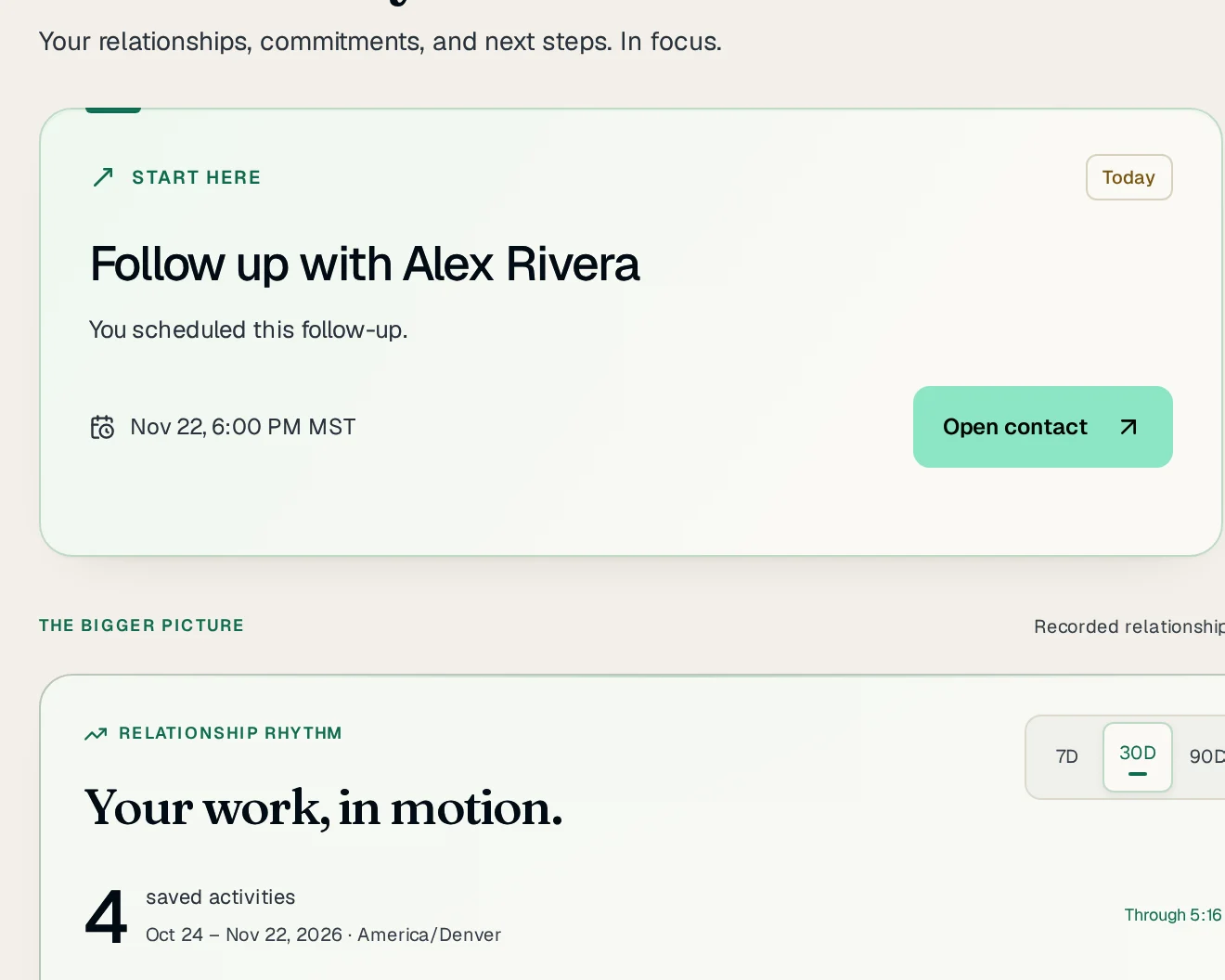
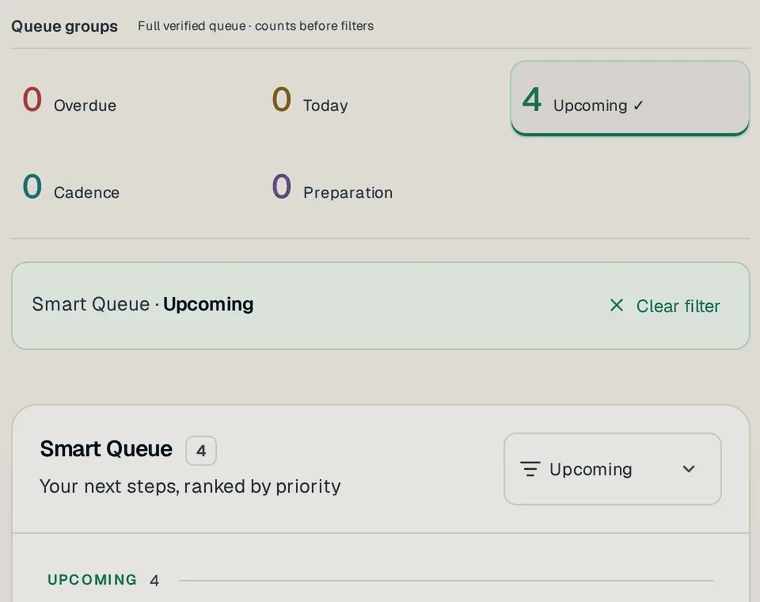
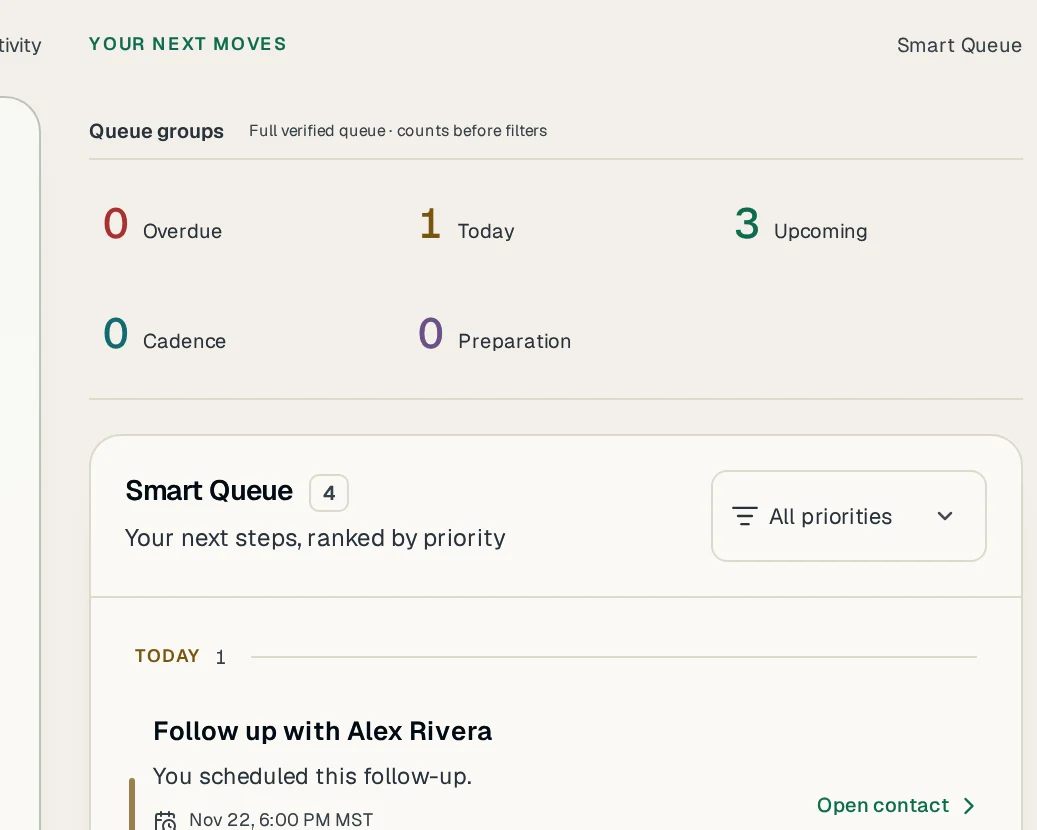
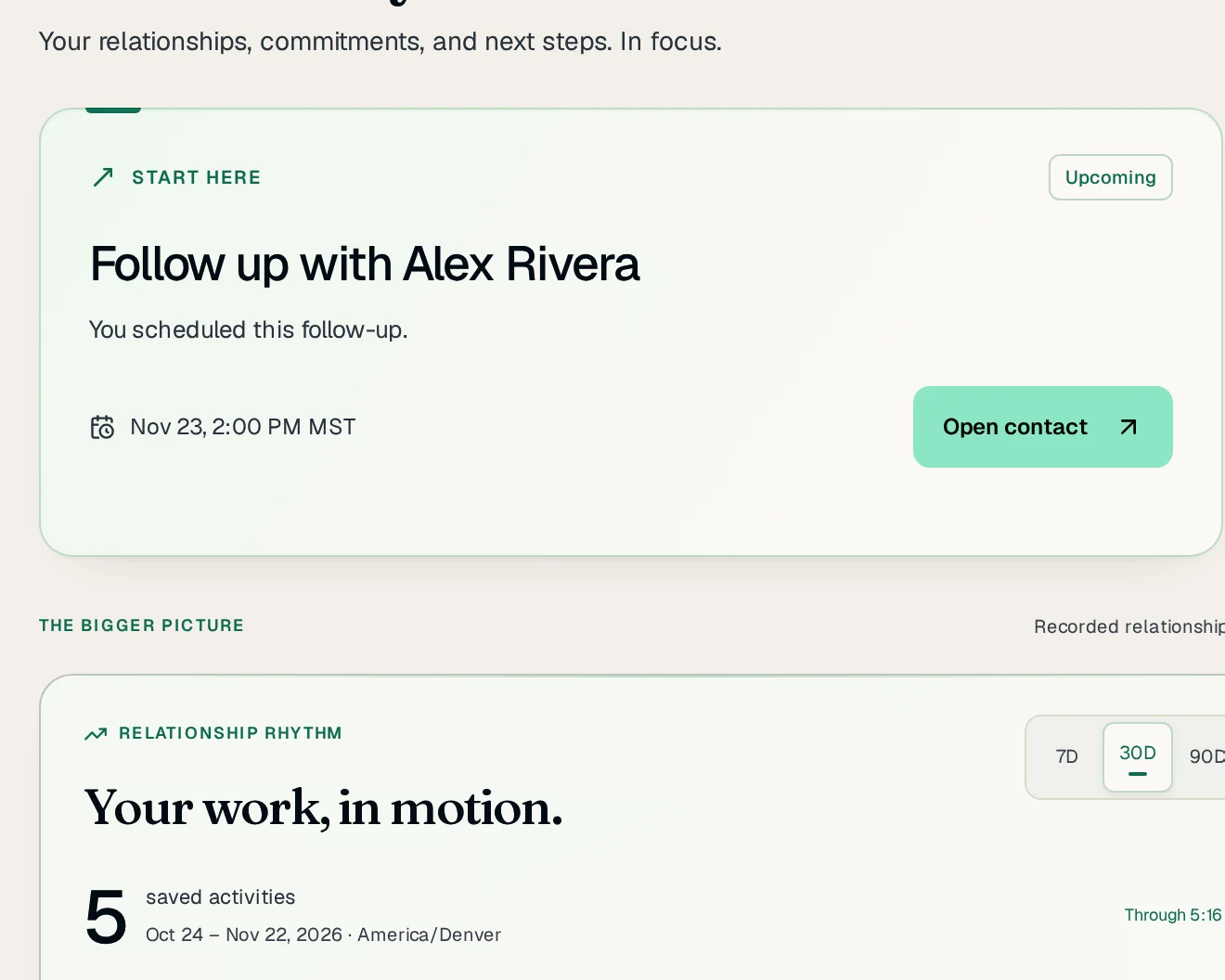
Smart Queue groups the work by when it is due, so today's promises come first and anything overdue stays visible.
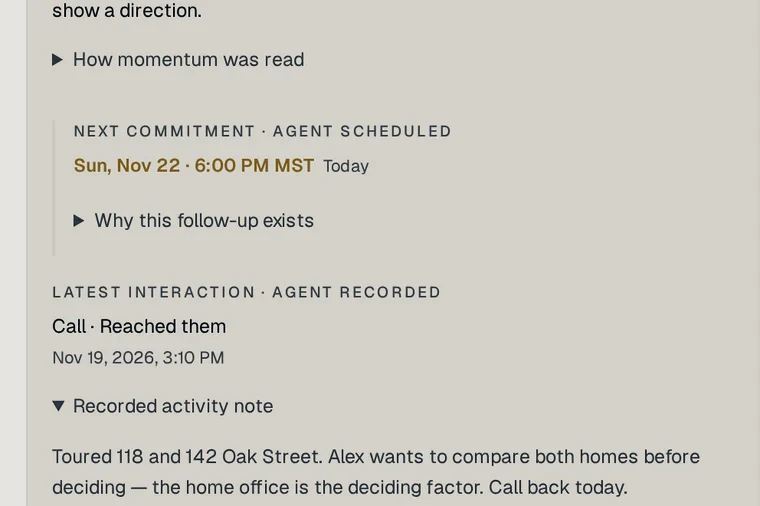
Open the contact and the record comes with it: the deal value, the last touch and how warm the relationship is.
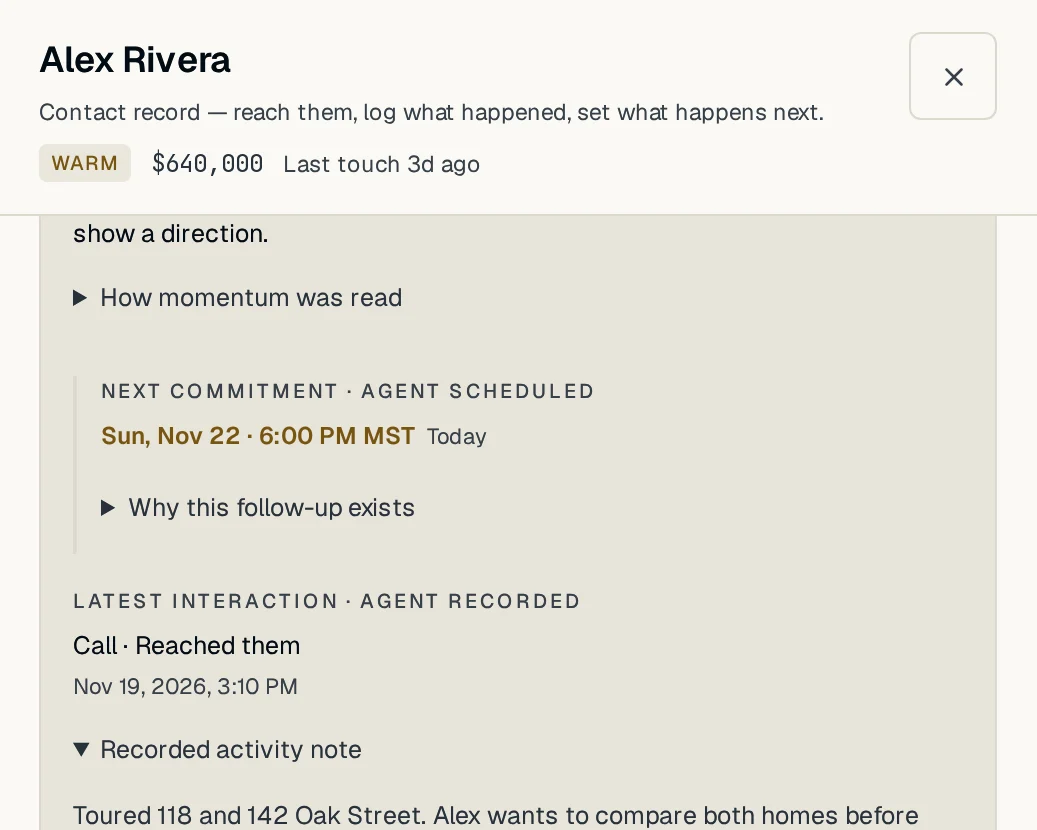
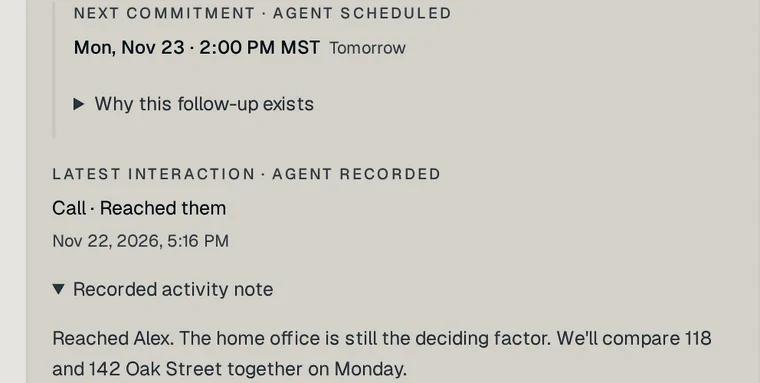
The relationship brief brings back what you saved. Alex is comparing 118 and 142 Oak Street, and the home office is the deciding factor.
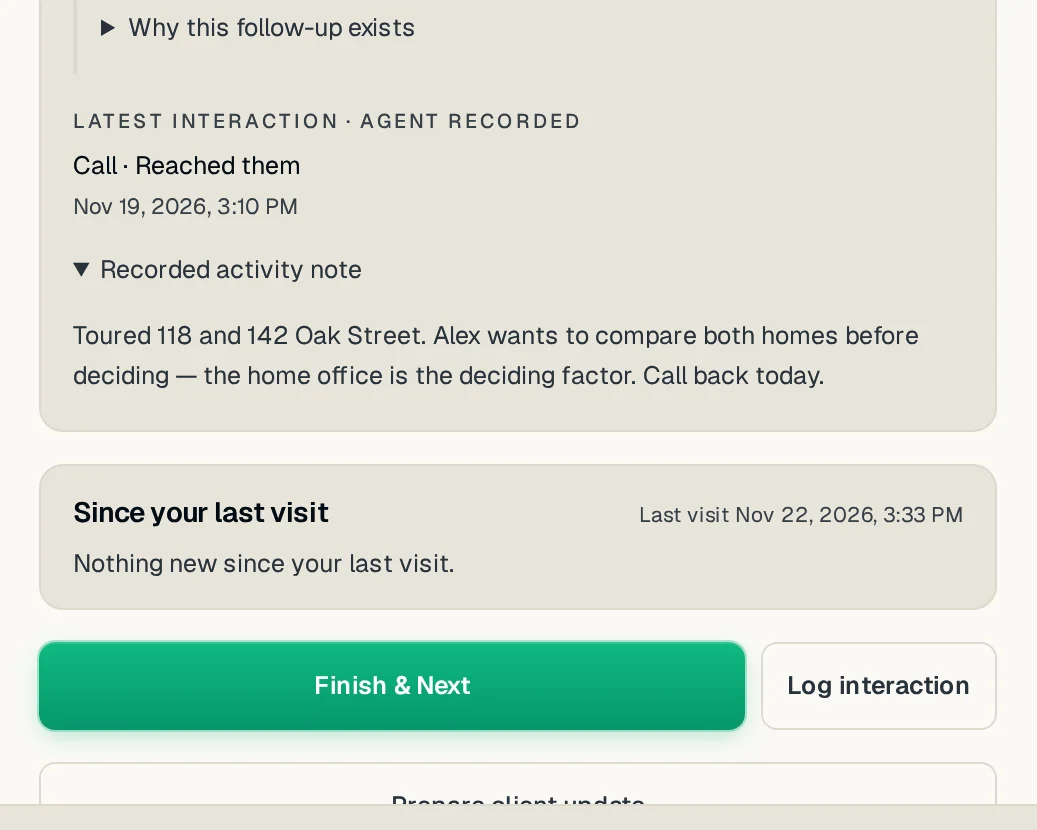
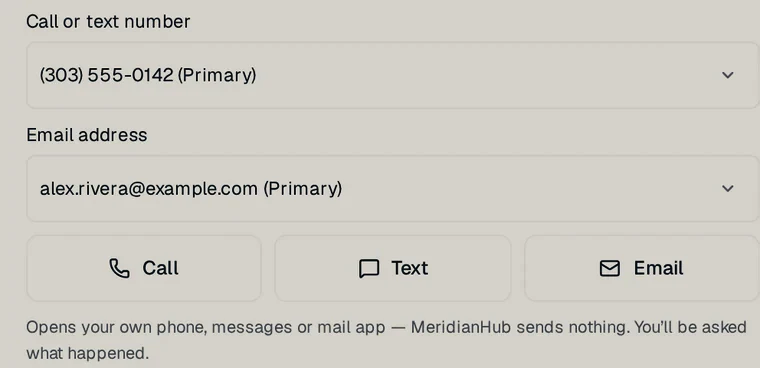
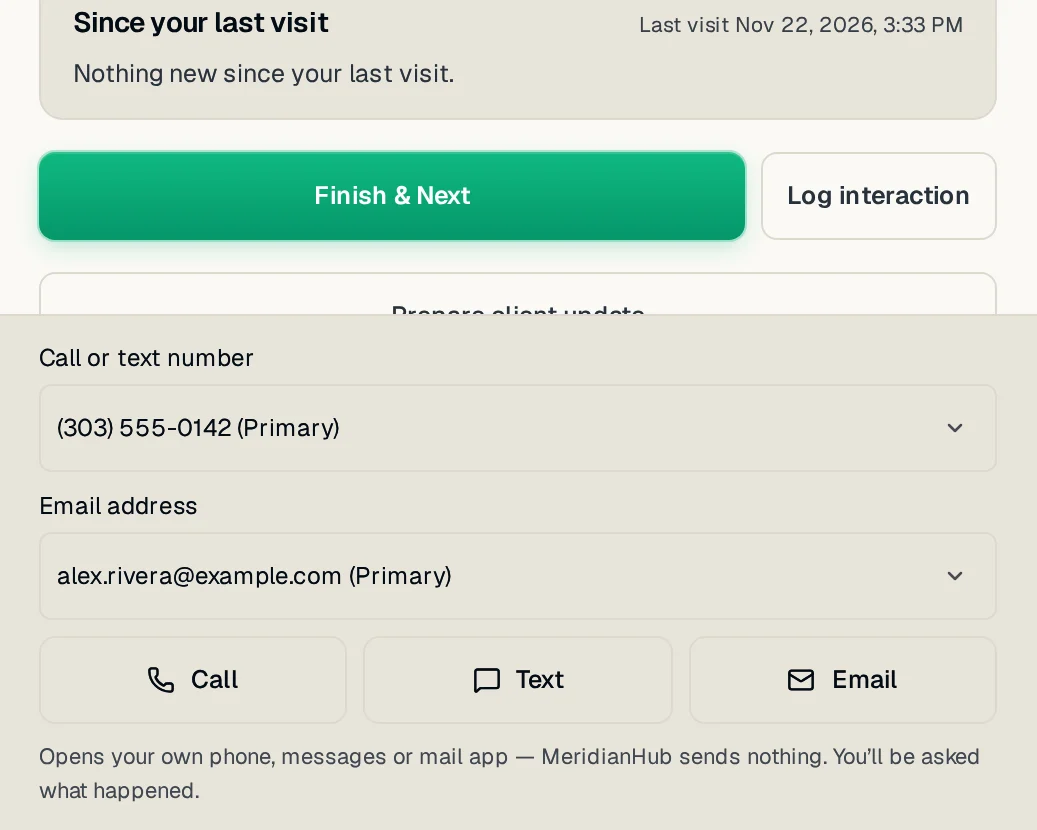
Call, text or email from your own phone and apps. MeridianHub sends nothing, and records nothing until you say what happened.
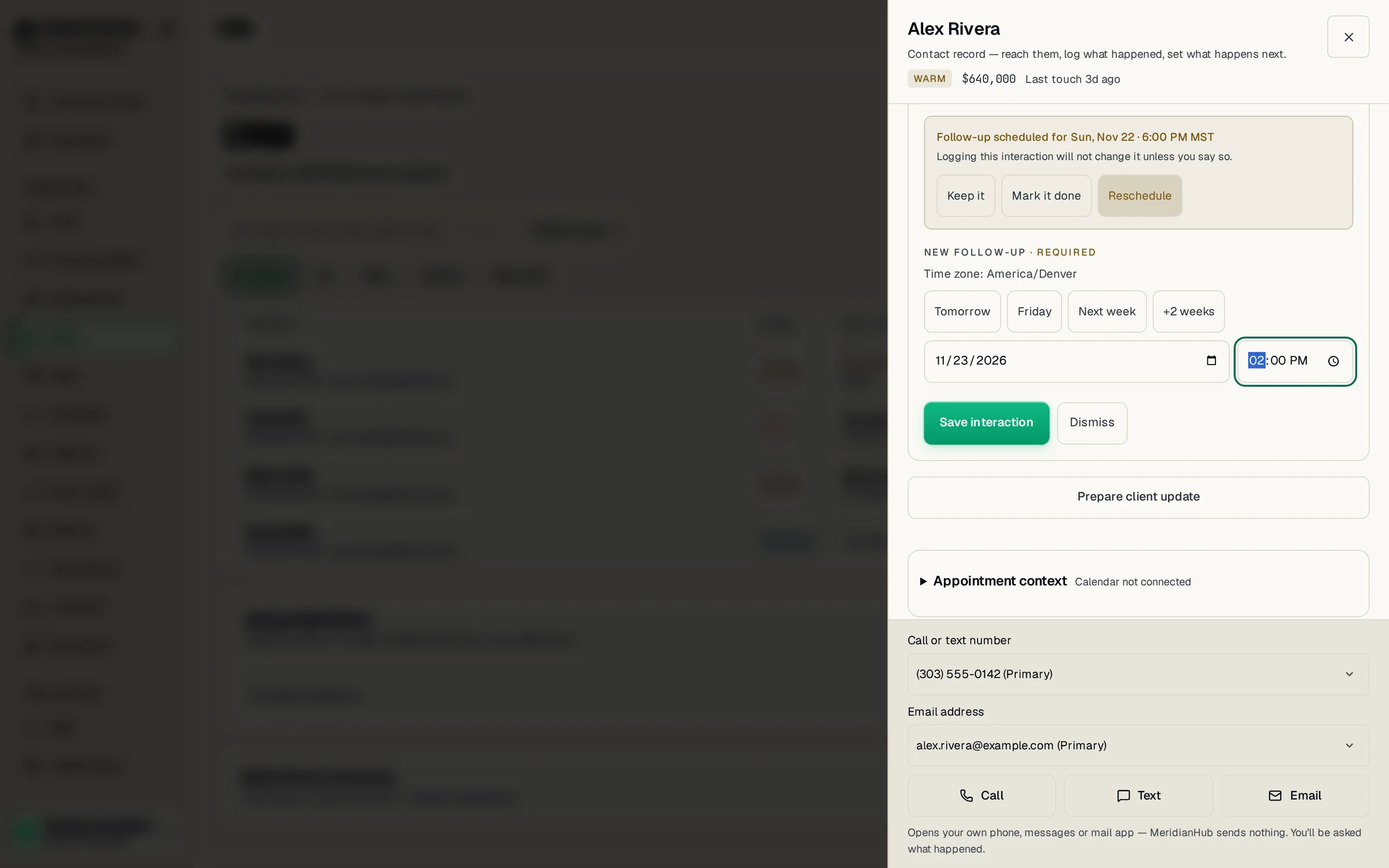
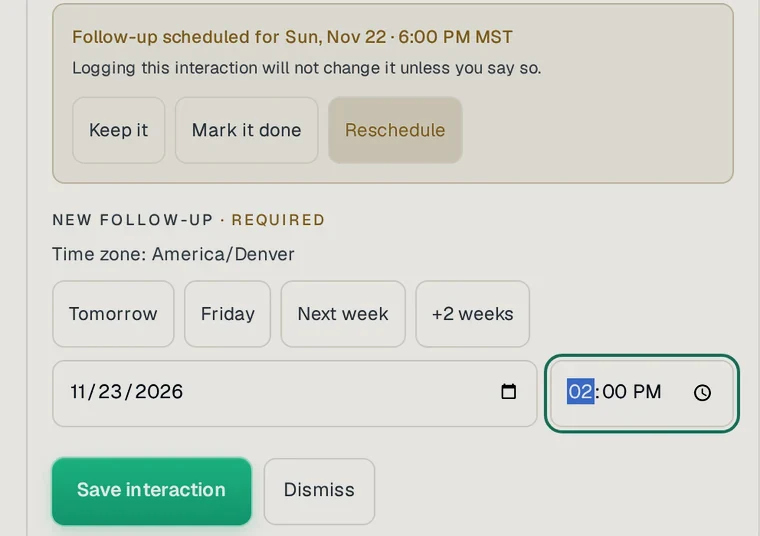
Log the outcome in your own words. The follow-up you set before is right there: keep it, mark it done or reschedule it.
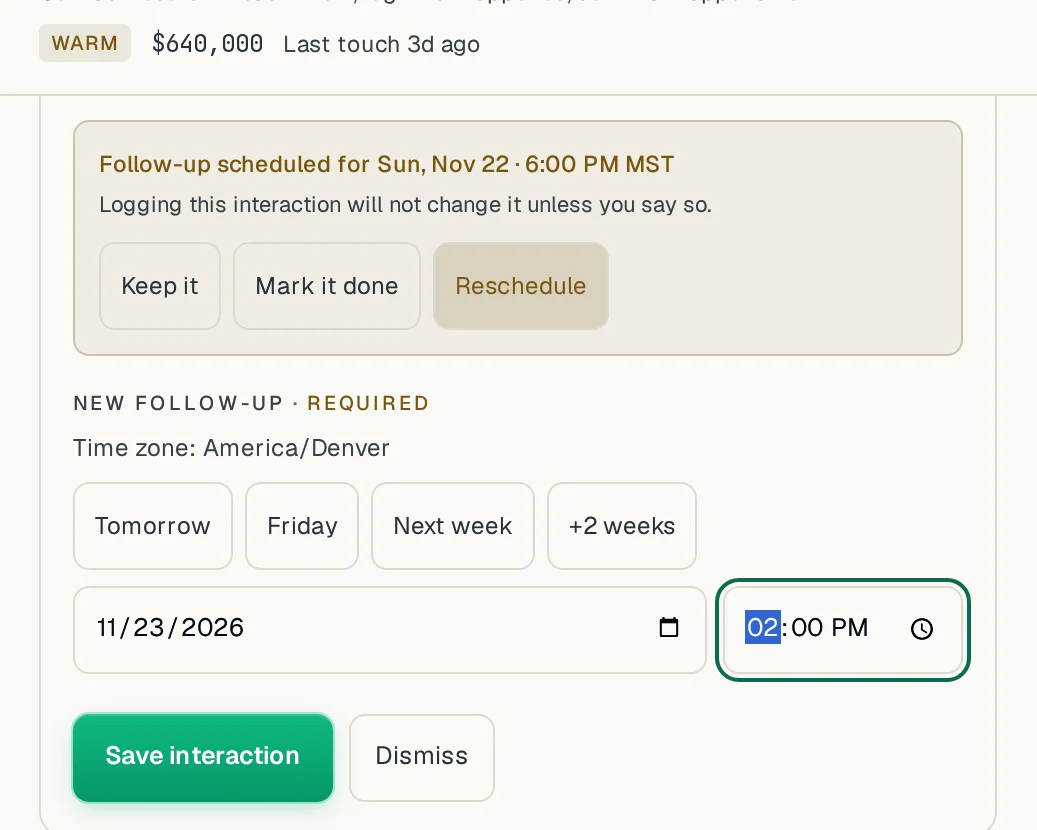
Choose the next date and time, in the client's time zone. Monday at 2:00 PM.
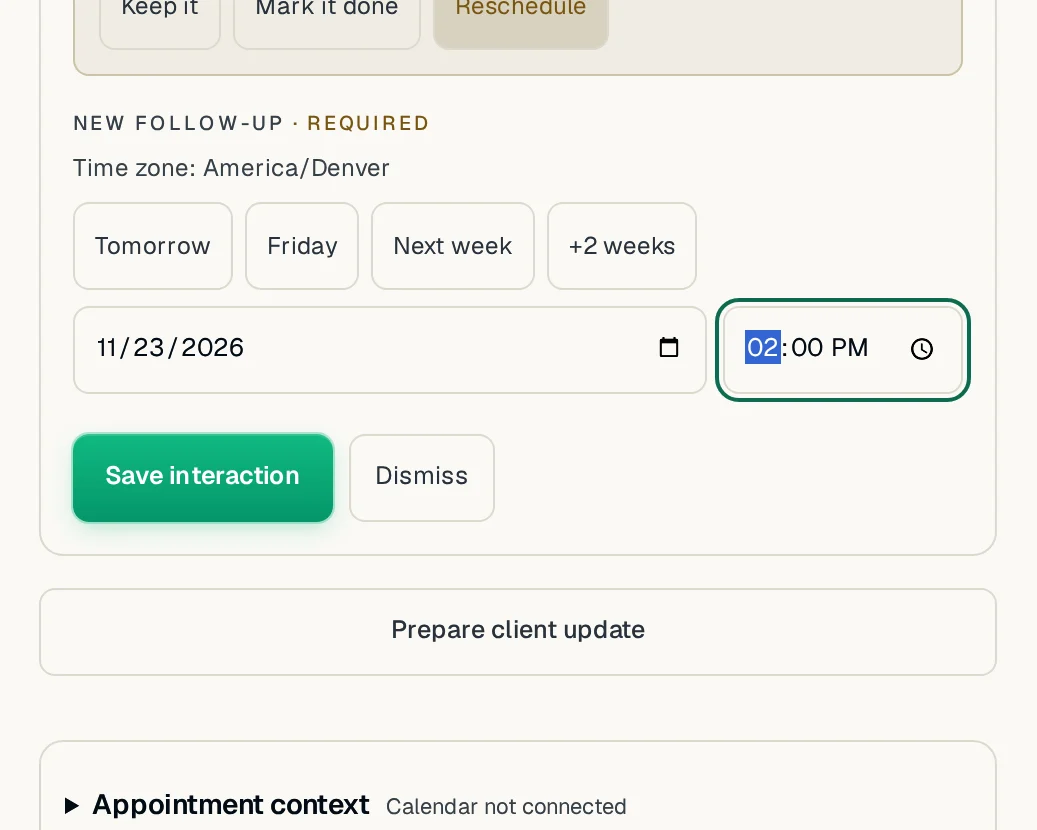
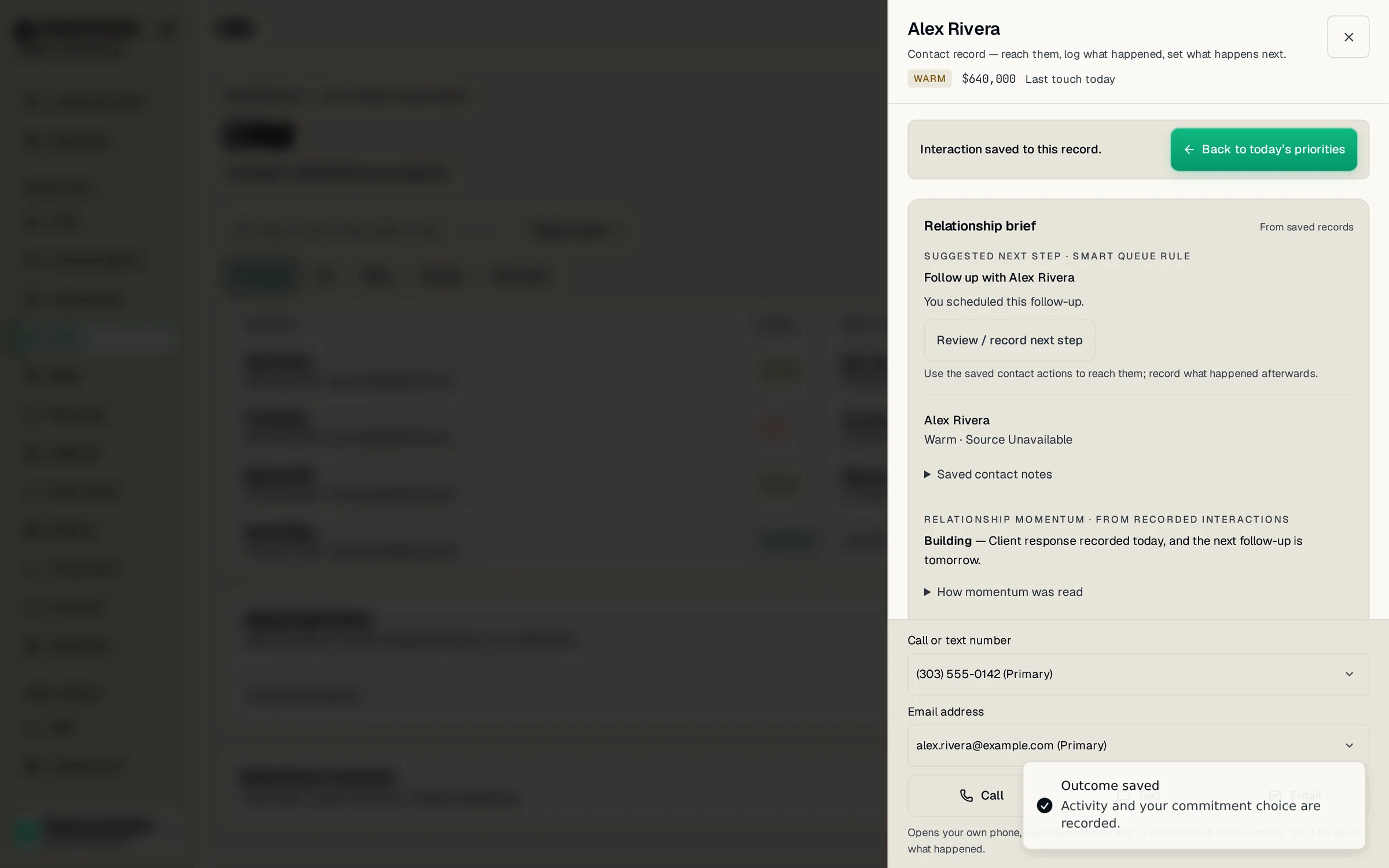
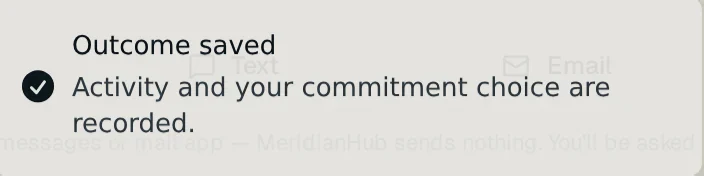
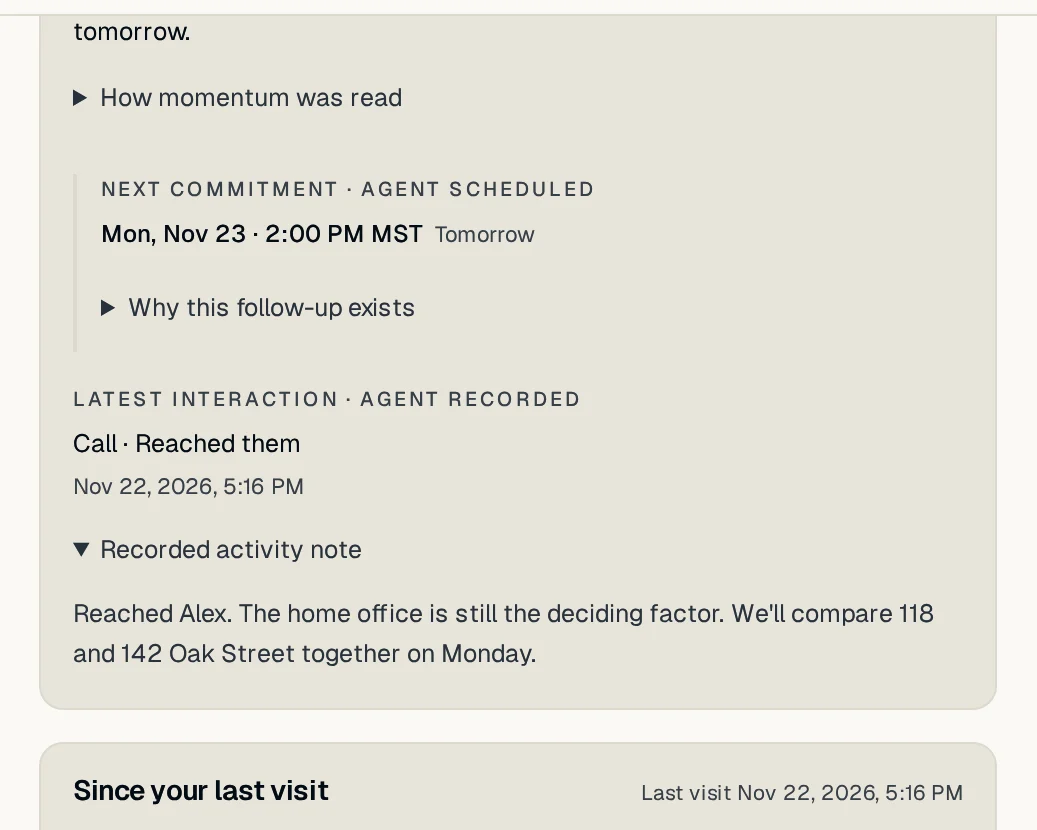
Save, and the interaction and the next commitment are on Alex's record.
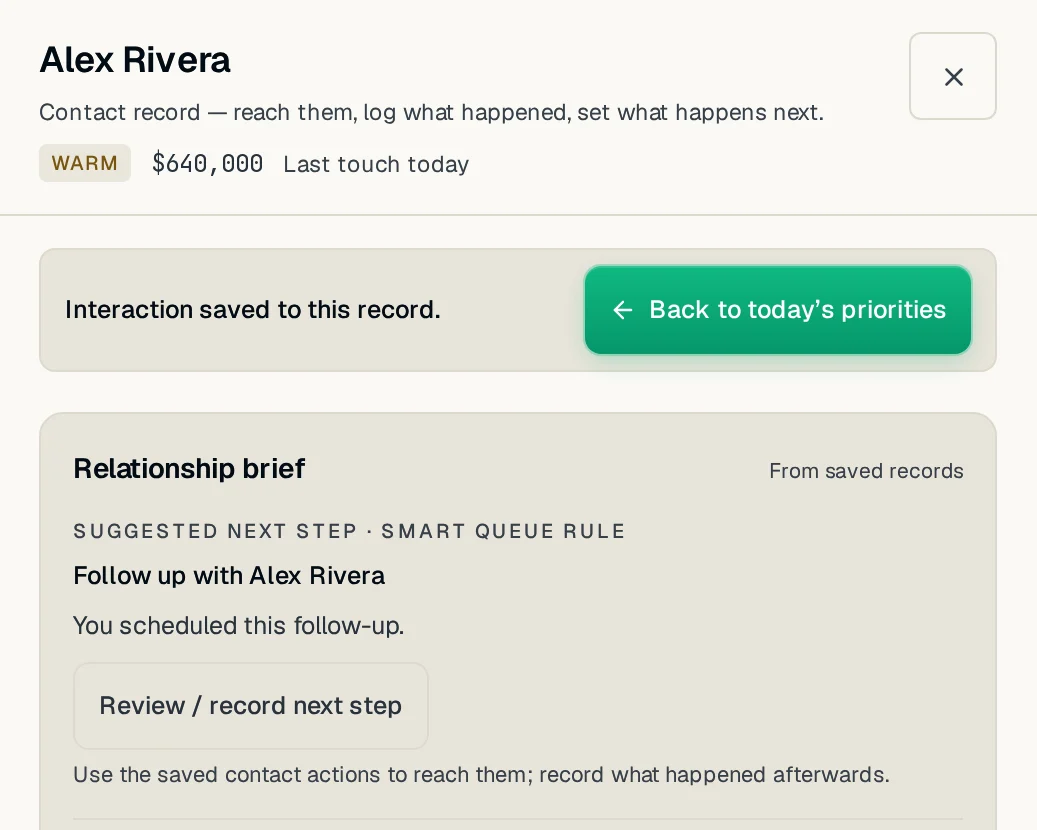
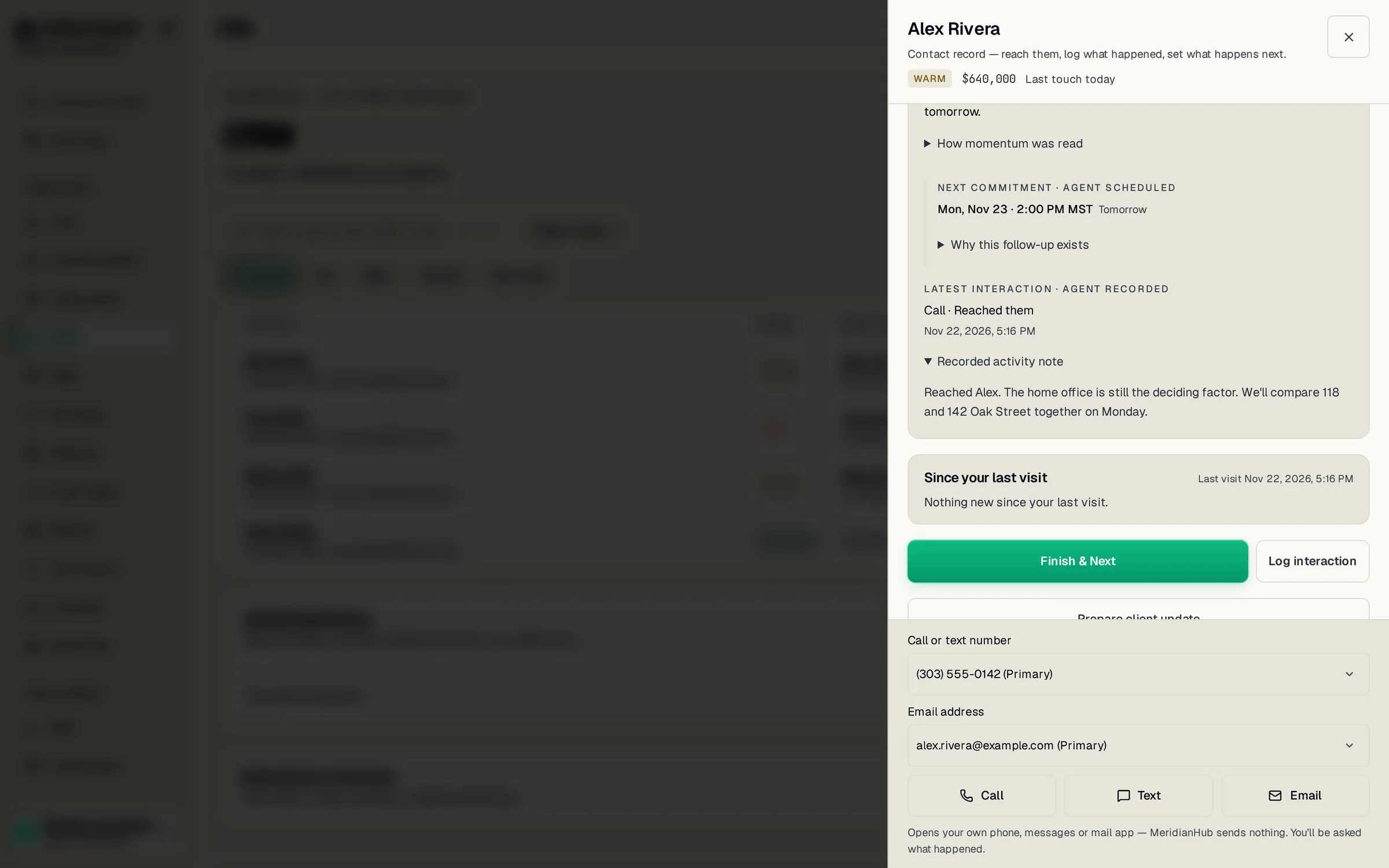
Reopen Alex later and it is all still there: the conversation, the note, and Monday at 2:00 PM as the next commitment.
Command Center has already moved Alex to Upcoming, so today's list holds only what is due today.
Private by design
A brokerage can sponsor your seat and pay your bill. It never opens your CRM, your deals, or your commitments.
The boundary is row-level security in the database, not a preference an admin can change. Read the trust model
Pricing · Clear before checkout
Straight answers
Yes. Start with one lead, record an interaction and set a follow-up. You can keep your current CRM while you evaluate. CSV import brings in contact records; it is not a transfer of every record and workflow in another CRM.
See the Agent workflowNo. A brokerage pays for seats and manages invitations and billing. It never reaches an Agent’s leads, contacts, deals, messages, commitments or Sphere, at any role. The boundary is enforced in the database with row-level security, not by a setting an admin can change.
Read the trust modelEligible new subscriptions start with a 14-day free trial. Checkout saves a card and charges $0 today; the plan is billed on day 14 unless you cancel first. There is no free tier, and one trial per workspace: if it was already used, checkout shows the charge before you confirm.
See every planYou are not charged. Cancelling during the trial stops it from converting, and access continues until the trial ends. After that, cancelling stops the next renewal and access runs to the end of the period you paid for.
Read the Terms of ServiceNo. MeridianHub shows what needs an answer and records what you did; every message to a contact is one you choose to send. The one case you switch on yourself: if you publish a booking page and connect a calendar, your calendar sends the invitation to the person who booked, for the time they picked.
See what MeridianHub will not doToday: sign-in with Google or email, card billing through Stripe, and contact import from a CSV file. Calendar and email connections are built into the Agent workspace and appear in Settings → Integrations only where your account can use them; each asks for your consent and can be removed. Not available: MLS listing feeds, texting, dialers, DocuSign and QuickBooks.
How connections are handledYou can request a copy of your data through support at any time, and requests are completed within 30 days. There is no self-serve export button today. Bringing data in is self-serve: the Agent workspace imports contacts from a CSV file.
Read the Privacy PolicyThe end state
Start with what needs you now. Leave with the next move already clear.
You are clear for now
Your active records have no overdue, due-today, upcoming, or stale follow-up actions right now.